
6 Best Salon POS Systems for Client Payments
The right salon POS system does more than process payments—it becomes the backbone of how you book clients, manage your calendar, and grow revenue without drowning in admin work. This guide compares the 6 best salon POS systems for 2026, breaking down pricing, processing fees, and the features that actually move the needle for beauty, wellness, and health businesses. Whether you're an independent stylist or managing a multi-location salon, you'll find the insights you need to choose a platform that fits your business and keeps more money in your pocket.
Compare the best salon POS systems for payments and booking. See plans, fee rates, and features like deposits, card on file, client notes, and reporting.


Key takeaways
- Top salon POS platforms combine payment processing, booking, and client management in one place to cut busywork and increase revenue
- Prioritize flat-rate payment processing to avoid surprise fees that eat into your margins
- Integrated booking and payments reduce no-shows through deposits and card-on-file features — businesses who use deposits on GlossGenius see a 32% increase in successful appointments
You have a salon or spa to run, and that means your days are filled not only with client appointments but also managing back-end systems and processes. From marketing your small business to providing stellar customer service, there's a lot to get done from one day to the next.
[CTA_MODULE]
If you can relate, then chances are you're always looking for innovative tools to make it easier to run your business. One such tool is a salon POS system, which allows you not only to accept payments from clients but also manage your salon business.
When clients want to book but can't swing the full cost upfront, it can cap your services (and your revenue). With tools like Buy Now, Pay Later, GlossGenius helps you unlock new revenue while creating an outstanding client experience — on average, members see 3x higher ticket values after offering Buy Now, Pay Later.
When you set down your shears or massage tools for the day, it can be helpful to know you've got a salon POS system working behind the scenes to optimize your sales and retention efforts. To find the best salon system for your business, consider the following 6 salon POS systems — and be sure to check out GlossGenius, our top choice for the best POS systems for modern beauty salons.
Quick comparison: top salon POS systems at a glance
Before diving into the details, here's a snapshot of the top salon POS systems to help you quickly identify which might be the best fit for your business.
What is a salon POS system?
A salon POS system is software that combines payment processing, appointment booking, and business management tools specifically designed for salons, spas, and beauty businesses. Unlike generic POS tools built for retail or restaurants, salon-focused software is designed around appointment-based workflows.
At its core, a salon POS handles three essential functions. First, it processes payments securely, whether clients pay with credit cards, digital wallets, or contactless options. Second, it manages your calendar and lets clients book appointments online. Third, it tracks client information, purchase history, and preferences so you can deliver personalized service.
Leading salon POS platforms go beyond the basics. They include features like automated appointment reminders, inventory management, marketing tools, and detailed reporting. This integration means you're not juggling multiple apps or manually transferring data between systems — everything works together in one place.
Why your salon needs a POS system
When you are first starting out as a beauty business owner, you might be able to get away with a simple system for collecting payments. However, as you grow, add more hair stylists and clients, expand your services, and work to make a bigger impact in the community, you'll need a more sophisticated beauty salon POS system for your business operations.
Reasons to consider investing in a POS system tailored to your needs include:
- Automate time-consuming administrative tasks
- Create smooth digital interactions that keep clients coming back
- Track every dollar with integrated financial management
- Stay competitive with tools that grow alongside your business
Streamlined operations
Running a salon is no joke — between tracking sales, reaching out to clients, bookkeeping, tax planning, marketing your business, and running payroll, you have a lot on your plate. The right POS can save time by automating booking, staff scheduling, reminders, and inventory management.
If admin work is swallowing your week — from scheduling and payments to client communications and inventory — it's hard to focus on growth. Businesses on GlossGenius reported saving their staff 10+ hours each week on administrative tasks, so everyday work comes off your to-do list and you can get back to what moves your business forward.
Better client experience
Client loyalty goes a long way in the salon industry — who doesn't love rebooking with their favorite hair stylist or nail artist? But you can't rely on relationships alone to retain clients. That’s especially true after the pandemic, as digital innovations became standard and clients now expect quick, straightforward online checkout.
Research shows that consumers increasingly favor having a flawless digital experience over staying loyal to a particular brand. Many are willing to pay more for an easy digital journey, and a significant portion say they won’t return after a disappointing online experience. The majority simply would not give a brand a second chance after a poor online experience.
When booking takes too many steps, clients drop off and those appointments never hit your calendar. GlossGenius removes the friction with the fastest client booking — clients can book in under 30 seconds with no app downloads or account creation required — and with 70% of people who start online checkout never finishing, that streamlined experience directly impacts your bottom line.
Financial management
From budgeting and payroll to tax prep, salon POS software can track every penny. Always know where your money is, learn how much you're spending, and find opportunities to save on expenses.
Competitive advantage
By saving time, automating tasks, and lowering operational costs, you’ll be better positioned to gain an edge on competitors. A good POS system will grow with your business to help you adapt to evolving needs and industry trends.
What to look for in a salon POS system
The most important features in a salon POS system are integrated booking and payments, flat-rate processing fees, automated reminders, and real-time reporting that syncs across your business. Prioritize the following as you evaluate your options:
- User-friendly interface for staff and clients
- Seamless appointment scheduling with automated reminders
- Inventory tracking that updates in real time
- Built-in marketing and client relationship tools
- Secure, versatile payment processing
- Fast access to your earnings
- Comprehensive reporting and analytics
User-friendly interface
Going back to the digital client experience, it's crucial that your salon POS system has an intuitive interface that's easy to navigate for clients and staff. Aim for software where your staff can be trained in under an hour, and clients can complete bookings without confusion or frustration.
Integrated booking and scheduling
Your salon POS system should have easy online booking and management tools so it's simple for clients to schedule appointments and manage their bookings. An added bonus is if the software also comes with automated appointment confirmations and reminders to help reduce no-shows and late arrivals. Businesses on GlossGenius have a 75%+ rebooking rate — a significant improvement over manual follow-up.
Inventory management
A salon POS system can track inventory at the point of sale, automatically updating sales tax, client purchase history, and inventory quantities. Find out not only what's running low but also which items aren't moving off your shelves so you can make knowledgeable purchasing decisions. Barcode scanning can also make it simple to update your stock without manual data entry.
Customer relationship management
Your salon point of sale system should have built-in marketing tools for welcome emails, social media, SMS messages, and targeted outreach. Whether you're personalizing messages for anniversaries and birthdays or drafting automated marketing messages, salon POS systems can help you better manage client relationships and track client histories. Choose platforms that include automated rebooking prompts to keep your calendar full without manual effort.
Payment processing
Security and versatility are the two most important factors when you want to process payments. Make sure your salon POS system is not only secure but also compatible with various payment methods, including credit cards, digital wallets, tap to pay, and contactless payments.
When comparing salon payment processing options, pay close attention to the fee structure. Some platforms charge different rates depending on how the payment is made — one rate for swiped cards, another for keyed-in transactions, and yet another for online payments. These variable rates can quickly eat into your margins, especially if you frequently use card-on-file or manual entry.
When processing rates change based on how someone pays, your margins take the hit — and your costs are harder to predict. A flat-rate processing fee (like GlossGenius's 2.6% regardless of payment type) keeps pricing consistent and often saves money versus tiered pricing.
Fast access to your money
When payouts take days, cash flow gets tight — and restocking, covering supplies, or making your next move becomes harder than it should be. Some POS systems take up to two business days to transfer funds, but GlossGenius offers free same-business-day payout transfers Monday through Thursday, so your money hits your account fast.
Reporting and analytics
A modern POS system should do more than track sales — it should show you exactly how your business is performing and give you detailed insights about your financial health. From viewing client rebooking rates and average ticket values to adding up how much revenue you're driving from retail sales, your POS system should be able to curate the most important metrics.
Choose software that syncs payments with booking and client tools, so you can monitor real-time revenue, costs, and client trends. The best platforms also include goal-setting features so you can track progress against your targets — on average, businesses on GlossGenius that set goals made 31% more revenue per week than those that don't.
[CTA_MODULE]
How to choose the best salon POS for your business
Choose a salon POS system based on your business size, budget, and specific needs — whether you're an independent stylist needing simple tools or a multi-location salon requiring advanced staff management. Here's how to narrow down your options.
Choosing by business size
Independent stylists and booth renters need a system that's affordable, easy to set up, and doesn't require complex staff management features. Aim for low monthly costs, simple booking pages, and straightforward payment processing.
Small businesses (2-10 staff) need scheduling coordination, basic staff management, and the ability to track individual performance. Consider platforms that include staff calendars, commission tracking, and role-based permissions without charging excessive per-user fees.
Multi-location salons require centralized reporting, consistent branding across locations, and robust staff management. Choose platforms that scale without sharply increasing costs and offer unified dashboards and location-level analytics.
Choosing by salon type
Different salon types have different priorities:
- Hair salons often need strong rebooking features and retail inventory tracking
- Nail salons benefit from quick checkout processes and service add-on capabilities
- Medspas require HIPAA-compliant record keeping, intake forms, and higher-ticket payment options like Buy Now, Pay Later
- Barbershops typically prioritize walk-in management and fast, mobile-friendly checkout
Consider which features matter most for your specific services when evaluating options.
6 best salon POS systems
Our top picks for salon POS systems:
1. GlossGenius
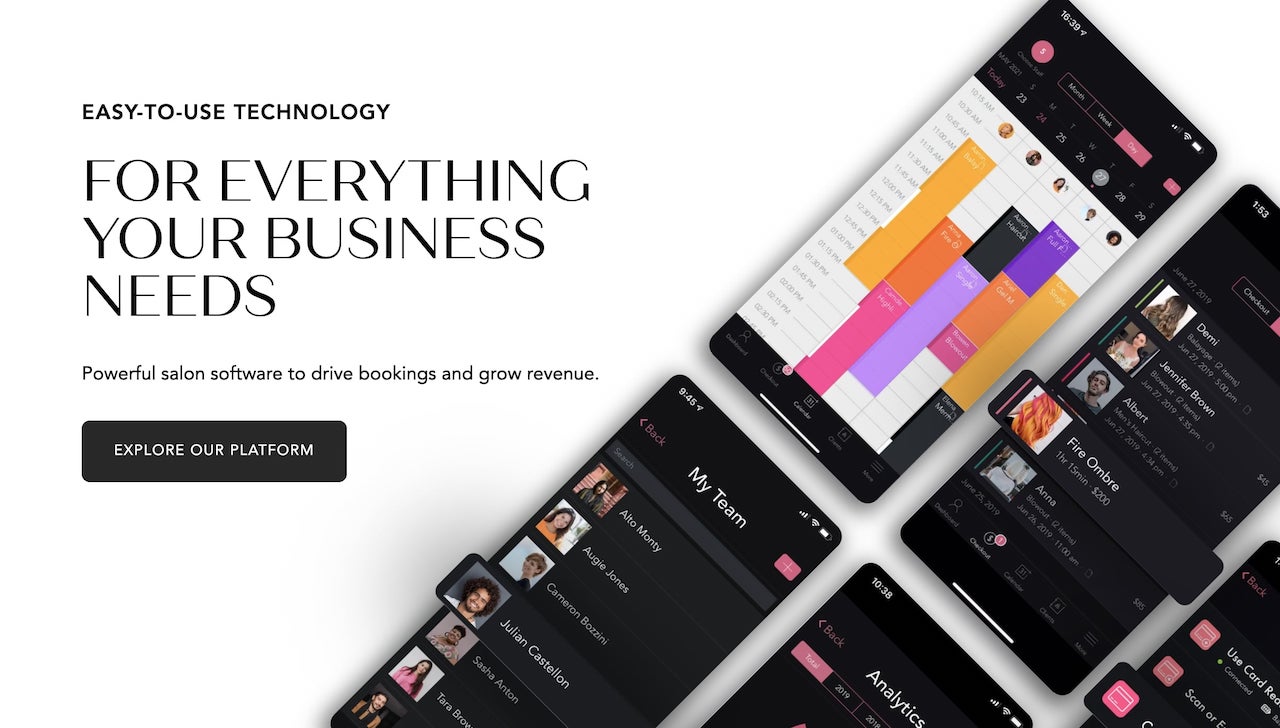
GlossGenius offers a stylish interface with features built for modern salons. Drive more bookings, manage client relationships, and deliver an easy online flow from booking through payment. With your GlossGenius subscription, you can create a gorgeous booking website that reflects your unique branding and powers online appointment scheduling. GlossGenius supports staff scheduling and team calendar management to coordinate shifts and availability. Plus, it also offers a mobile experience for managing appointments, clients, and payments on the go.
GlossGenius also offers invoicing so clients can pay from anywhere, and Buy Now, Pay Later options like Klarna, Afterpay, and Affirm to support more high-value bookings.
You'll also gain access to inventory management and integrated marketing tools like SMS marketing and unlimited free email marketing to help you reach your target customers. GlossGenius also offers additional features like forms (available on Gold and Platinum plans), so you can get all the client history info you need before the appointment, and waitlists (available on Gold and Platinum plans), to ensure no appointment slot ever goes to waste.
Pros:
- Flat 2.6% processing rate regardless of payment type — no extra fees for Tap to Pay, card-on-file, or manual entry
- Free same-business-day payout transfers Monday through Thursday
- Beautiful, customizable booking website included at no extra cost
- AI-powered marketing assistant creates campaigns in seconds
- Businesses save an average of 25% on processing fees by switching to GlossGenius's payments
- Payroll add-on available starting at $40/month + $6 per paid employee
Cons:
- Forms and waivers require Gold plan or higher
- No free tier (though 14-day free trial available)
Pricing and processing fees: GlossGenius plans start at $24/month (billed annually). Gold starts at $48/month (billed annually), and Platinum starts at $148/month (billed annually). All new users get their first 2 weeks free. Buy Now, Pay Later features (Affirm, Afterpay, and Klarna) come with a 6% + $0.30 per transaction rate, while Invoicing has a 2.9% + $0.30 per transaction fee. Payroll is available as an add-on starting at $40/month + $6 per paid employee.
2. Vagaro

Vagaro offers booking, client management, marketing, and payment tools for businesses of different sizes. The business management software platform enables client and staff management, marketing, calendar, online booking, and more. Manage your reputation with email marketing tools and third-party integrations, and make it easy for clients to check out with contactless payment options.
Pros:
- User-friendly interface with straightforward setup
- Built-in marketplace for client discovery
- Comprehensive feature set including payroll ($34/mo + $5/mo per employee)
- 30-day free trial available
Cons:
- Add-on features like text marketing and forms cost extra
- Guests must create an account to book appointments
- Processing fees vary by payment type and volume
- $10/month fee for each additional staff calendar (after first)
Pricing and processing fees: Vagaro pricing starts at $23.99/month. For small merchants (processing volume less than $4,000 per month), Vagaro charges 2.6% + $0.10 per card-present transaction, plus an additional $0.06 for tap purchases.
For large merchants (processing volume more than $4,000 per month), Vagaro charges 2.2% + $0.19 per card-present transaction, plus an additional $0.06 for tap purchases. Keyed-in transaction processing rates are 3.5% + $0.15. There's also a $10 monthly membership fee for large merchants.
3. Square
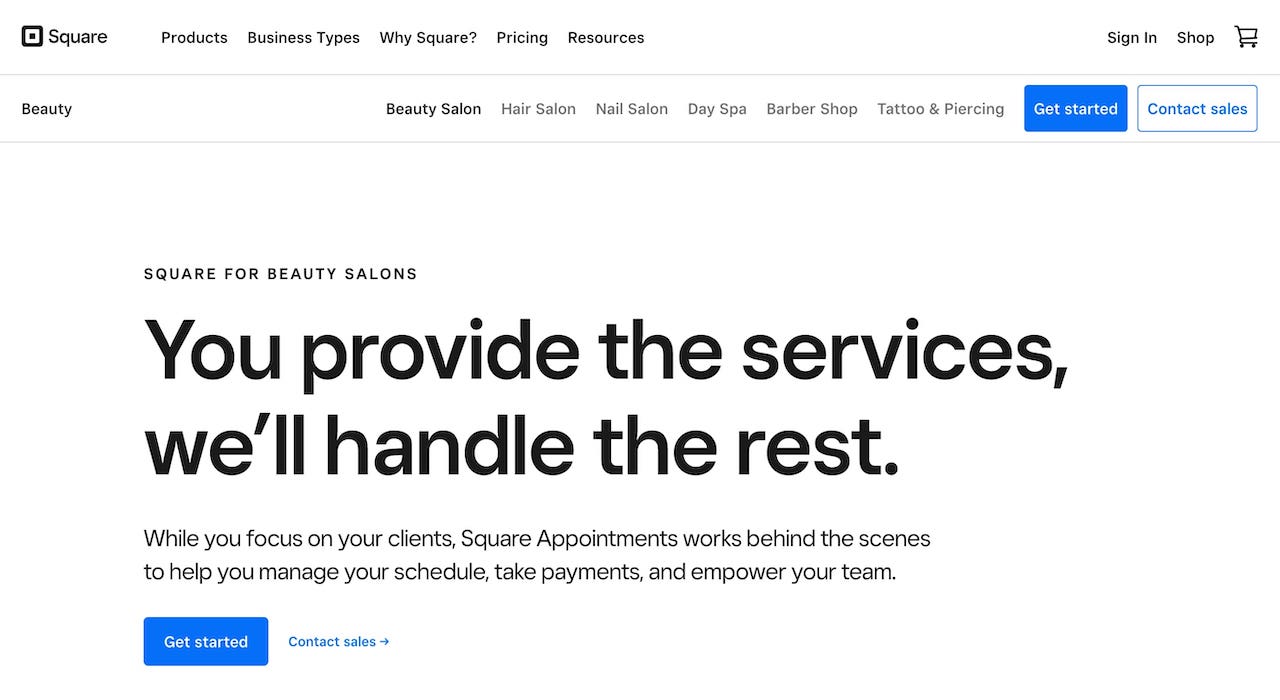
Square combines appointment booking, payment processing, and client management in a single POS with features for beauty, wellness, and health businesses. It supports contactless payments and online payments, with pricing that varies by transaction type. Square lets businesses sell on different platforms, including social media, websites, and at the POS. They also offer marketing features such as messaging and customer loyalty programs. With Square, you get integrations with third-party apps, plus the ability to build custom solutions.
Pros:
- Free plan available with essential features
- No locked-in contracts — cancel anytime
- Versatile hardware options
- Strong ecosystem of third-party integrations
Cons:
- Higher processing rates for manual entry
- Salon-specific features less robust than dedicated salon software
- Plus plan required for advanced features ($49/month per location)
Pricing and processing fees: Square has a free plan option as well as a Plus plan for $49/month per location and a Premium plan for $149/month per location. Their processing fees are 2.6% + $0.15 for all in-person transactions (Free plan), and 3.3% + $0.30 per online transaction. Manual entry costs 3.5% + $0.15 per transaction. (Processing fees slightly lower with paid plans.)
For Square hardware, you can choose between their Square Stand, the Square Handheld, or the Square Register at various price points.
4. Booksy

From booking appointments and getting paid to attracting and retaining clients, Booksy handles a variety of POS functions for beauty, wellness, and health businesses. The platform acts as both an appointment scheduling software and an online marketplace connecting clients with beauty salon and spa businesses. Booksy includes business management tools such as inventory management, shift scheduling, custom forms, and product sales. Their marketing features include email and social media templates, promotional tools, and review requests.
Pros:
- Strong mobile app experience
- Built-in marketplace for client discovery
- 2,000 free SMS marketing messages per month included
- 14-day free trial with no credit card required
Cons:
- $20/month for each additional staff member (max 9 members)
- Boost feature charges 30% commission on first visit from new clients
- Higher card-on-file processing rate
Pricing and processing fees: Booksy is $29.99/month plus tax. To charge cards and mobile wallets with the Booksy Card Reader, you pay 2.49% + $0.10 per transaction, while Tap to Pay fees cost 2.49% + $0.20 per transaction. To charge cards on file, processing rates are 2.69% + $0.30 per transaction. Next business day payouts are free, while fast payouts (30 minutes) carry a 1.5% fee.
5. Fresha

Salon POS software Fresha provides a unified dashboard for appointments, sales, and client activity, plus promotional tools to enable client outreach and retention. It supports multiple payment-processing options, including payment links, Fresha terminals, barcode scanners, and receipt printing.
Pros:
- Lower in-person processing rate
- No minimum commitment or long-term contract
- Unified dashboard for appointments, sales, and clients
Cons:
- $14.95/month per staff member for businesses with staff
- Higher manual card entry rate
- Additional $0.10 for Tap to Pay authorization
- Some users report hidden fees and steep learning curve
Pricing and processing fees: Fresha charges $19.95/month for independent business owners and $14.95 per staff member monthly for larger businesses. Processing fees are 2.29% + $0.20 per in-person transaction, 2.79% + $0.20 per online transaction, and 3.30% + $0.20 per manual card entry. Tap to Pay adds an additional $0.10 per authorization.
[CTA_MODULE]
6. Mindbody
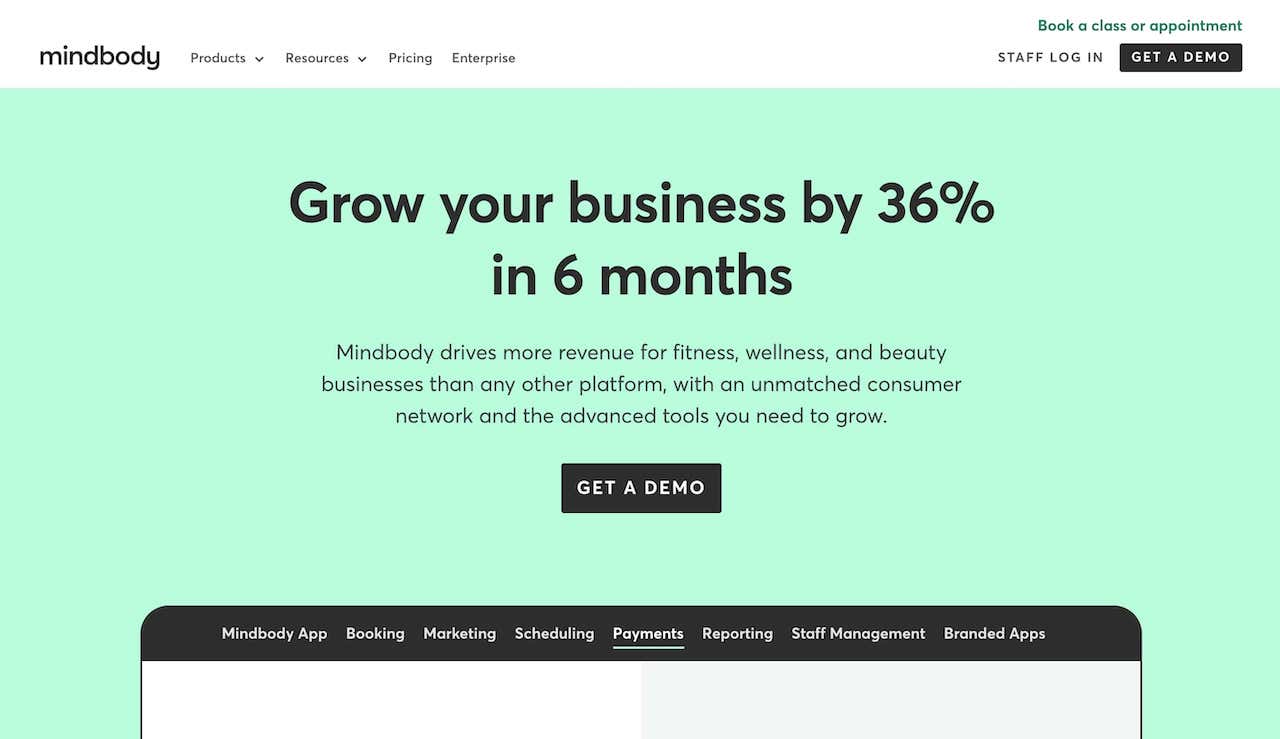
Built for appointment-based businesses, including salons, spas, and fitness studios, Mindbody is an online booking system that comes with an integrated POS system. Mindbody supports appointment scheduling, staff management, memberships, retail sales, and payments for higher-volume businesses. Mindbody also offers custom branding options, memberships, and client acquisition tools.
Pros:
- Unlimited users per location (no per-user fees)
- Comprehensive features for larger businesses
- Strong marketplace presence for client discovery
- Integrated payments powered by Stripe
Cons:
- Starting price of $99/month may be too high for small salons
- Starter plan lacks two-way SMS, lead capture, and automated marketing
- Branded mobile app requires higher-tier plan
- Processing rates start at 2.99% + $0.30 for card-present transactions
Pricing and processing fees: Mindbody prices start at $99/month per location. Processing fees start at 2.99% + $0.30 for card-present transactions (tapped, inserted, or swiped) and 3.60% + $0.30 for online and manual entry transactions. Volume discounts may be available.
Grow Your Business with Every Transaction with GlossGenius’s Salon Payments System
GlossGenius has raised the bar on salon software for beauty, health, and wellness businesses. On average, businesses see a 26%+ increase in revenue within their first year on GlossGenius.
GlossGenius lets you take payments from your phone, tablet, or computer—so you can check out clients wherever it fits your setup. Our sleek, professional card readers connect to the GlossGenius app for fast and flexible payment processing. Unlock powerful insights with payment data that syncs across your business, giving you a clear view of revenue, costs, customer behavior, and profitability. Free same-business-day payout transfers, end-to-end encryption, and native support for chip cards and contactless payments make GlossGenius the preferred POS solution for beauty and wellness professionals.
Check out GlossGenius’ Point Of Sale and Payment Processing features. Plus, our Client Management tools to help you find and keep your customers.
This information is provided for general educational purposes only. For legal, cybersecurity, or compliance advice specific to your business or situation, please consult a professional.
All prices and feature comparisons are as of March 2026. GlossGenius has no affiliation, sponsorship, or endorsement with the other companies mentioned in this article or their affiliates. All trademarks, logos, and brand names are used for identification purposes only and remain the property of their respective owners.
.png)
Join Our Genius Newsletter
Get the latest articles, inspiring how-to’s, and educational workbooks delivered to your inbox.
6 Best Salon POS Systems for Client Payments
The right salon POS system does more than process payments—it becomes the backbone of how you book clients, manage your calendar, and grow revenue without drowning in admin work. This guide compares the 6 best salon POS systems for 2026, breaking down pricing, processing fees, and the features that actually move the needle for beauty, wellness, and health businesses. Whether you're an independent stylist or managing a multi-location salon, you'll find the insights you need to choose a platform that fits your business and keeps more money in your pocket.
Key takeaways
- Top salon POS platforms combine payment processing, booking, and client management in one place to cut busywork and increase revenue
- Prioritize flat-rate payment processing to avoid surprise fees that eat into your margins
- Integrated booking and payments reduce no-shows through deposits and card-on-file features — businesses who use deposits on GlossGenius see a 32% increase in successful appointments
You have a salon or spa to run, and that means your days are filled not only with client appointments but also managing back-end systems and processes. From marketing your small business to providing stellar customer service, there's a lot to get done from one day to the next.
[CTA_MODULE]
If you can relate, then chances are you're always looking for innovative tools to make it easier to run your business. One such tool is a salon POS system, which allows you not only to accept payments from clients but also manage your salon business.
When clients want to book but can't swing the full cost upfront, it can cap your services (and your revenue). With tools like Buy Now, Pay Later, GlossGenius helps you unlock new revenue while creating an outstanding client experience — on average, members see 3x higher ticket values after offering Buy Now, Pay Later.
When you set down your shears or massage tools for the day, it can be helpful to know you've got a salon POS system working behind the scenes to optimize your sales and retention efforts. To find the best salon system for your business, consider the following 6 salon POS systems — and be sure to check out GlossGenius, our top choice for the best POS systems for modern beauty salons.
Quick comparison: top salon POS systems at a glance
Before diving into the details, here's a snapshot of the top salon POS systems to help you quickly identify which might be the best fit for your business.
What is a salon POS system?
A salon POS system is software that combines payment processing, appointment booking, and business management tools specifically designed for salons, spas, and beauty businesses. Unlike generic POS tools built for retail or restaurants, salon-focused software is designed around appointment-based workflows.
At its core, a salon POS handles three essential functions. First, it processes payments securely, whether clients pay with credit cards, digital wallets, or contactless options. Second, it manages your calendar and lets clients book appointments online. Third, it tracks client information, purchase history, and preferences so you can deliver personalized service.
Leading salon POS platforms go beyond the basics. They include features like automated appointment reminders, inventory management, marketing tools, and detailed reporting. This integration means you're not juggling multiple apps or manually transferring data between systems — everything works together in one place.
Why your salon needs a POS system
When you are first starting out as a beauty business owner, you might be able to get away with a simple system for collecting payments. However, as you grow, add more hair stylists and clients, expand your services, and work to make a bigger impact in the community, you'll need a more sophisticated beauty salon POS system for your business operations.
Reasons to consider investing in a POS system tailored to your needs include:
- Automate time-consuming administrative tasks
- Create smooth digital interactions that keep clients coming back
- Track every dollar with integrated financial management
- Stay competitive with tools that grow alongside your business
Streamlined operations
Running a salon is no joke — between tracking sales, reaching out to clients, bookkeeping, tax planning, marketing your business, and running payroll, you have a lot on your plate. The right POS can save time by automating booking, staff scheduling, reminders, and inventory management.
If admin work is swallowing your week — from scheduling and payments to client communications and inventory — it's hard to focus on growth. Businesses on GlossGenius reported saving their staff 10+ hours each week on administrative tasks, so everyday work comes off your to-do list and you can get back to what moves your business forward.
Better client experience
Client loyalty goes a long way in the salon industry — who doesn't love rebooking with their favorite hair stylist or nail artist? But you can't rely on relationships alone to retain clients. That’s especially true after the pandemic, as digital innovations became standard and clients now expect quick, straightforward online checkout.
Research shows that consumers increasingly favor having a flawless digital experience over staying loyal to a particular brand. Many are willing to pay more for an easy digital journey, and a significant portion say they won’t return after a disappointing online experience. The majority simply would not give a brand a second chance after a poor online experience.
When booking takes too many steps, clients drop off and those appointments never hit your calendar. GlossGenius removes the friction with the fastest client booking — clients can book in under 30 seconds with no app downloads or account creation required — and with 70% of people who start online checkout never finishing, that streamlined experience directly impacts your bottom line.
Financial management
From budgeting and payroll to tax prep, salon POS software can track every penny. Always know where your money is, learn how much you're spending, and find opportunities to save on expenses.
Competitive advantage
By saving time, automating tasks, and lowering operational costs, you’ll be better positioned to gain an edge on competitors. A good POS system will grow with your business to help you adapt to evolving needs and industry trends.
What to look for in a salon POS system
The most important features in a salon POS system are integrated booking and payments, flat-rate processing fees, automated reminders, and real-time reporting that syncs across your business. Prioritize the following as you evaluate your options:
- User-friendly interface for staff and clients
- Seamless appointment scheduling with automated reminders
- Inventory tracking that updates in real time
- Built-in marketing and client relationship tools
- Secure, versatile payment processing
- Fast access to your earnings
- Comprehensive reporting and analytics
User-friendly interface
Going back to the digital client experience, it's crucial that your salon POS system has an intuitive interface that's easy to navigate for clients and staff. Aim for software where your staff can be trained in under an hour, and clients can complete bookings without confusion or frustration.
Integrated booking and scheduling
Your salon POS system should have easy online booking and management tools so it's simple for clients to schedule appointments and manage their bookings. An added bonus is if the software also comes with automated appointment confirmations and reminders to help reduce no-shows and late arrivals. Businesses on GlossGenius have a 75%+ rebooking rate — a significant improvement over manual follow-up.
Inventory management
A salon POS system can track inventory at the point of sale, automatically updating sales tax, client purchase history, and inventory quantities. Find out not only what's running low but also which items aren't moving off your shelves so you can make knowledgeable purchasing decisions. Barcode scanning can also make it simple to update your stock without manual data entry.
Customer relationship management
Your salon point of sale system should have built-in marketing tools for welcome emails, social media, SMS messages, and targeted outreach. Whether you're personalizing messages for anniversaries and birthdays or drafting automated marketing messages, salon POS systems can help you better manage client relationships and track client histories. Choose platforms that include automated rebooking prompts to keep your calendar full without manual effort.
Payment processing
Security and versatility are the two most important factors when you want to process payments. Make sure your salon POS system is not only secure but also compatible with various payment methods, including credit cards, digital wallets, tap to pay, and contactless payments.
When comparing salon payment processing options, pay close attention to the fee structure. Some platforms charge different rates depending on how the payment is made — one rate for swiped cards, another for keyed-in transactions, and yet another for online payments. These variable rates can quickly eat into your margins, especially if you frequently use card-on-file or manual entry.
When processing rates change based on how someone pays, your margins take the hit — and your costs are harder to predict. A flat-rate processing fee (like GlossGenius's 2.6% regardless of payment type) keeps pricing consistent and often saves money versus tiered pricing.
Fast access to your money
When payouts take days, cash flow gets tight — and restocking, covering supplies, or making your next move becomes harder than it should be. Some POS systems take up to two business days to transfer funds, but GlossGenius offers free same-business-day payout transfers Monday through Thursday, so your money hits your account fast.
Reporting and analytics
A modern POS system should do more than track sales — it should show you exactly how your business is performing and give you detailed insights about your financial health. From viewing client rebooking rates and average ticket values to adding up how much revenue you're driving from retail sales, your POS system should be able to curate the most important metrics.
Choose software that syncs payments with booking and client tools, so you can monitor real-time revenue, costs, and client trends. The best platforms also include goal-setting features so you can track progress against your targets — on average, businesses on GlossGenius that set goals made 31% more revenue per week than those that don't.
[CTA_MODULE]
How to choose the best salon POS for your business
Choose a salon POS system based on your business size, budget, and specific needs — whether you're an independent stylist needing simple tools or a multi-location salon requiring advanced staff management. Here's how to narrow down your options.
Choosing by business size
Independent stylists and booth renters need a system that's affordable, easy to set up, and doesn't require complex staff management features. Aim for low monthly costs, simple booking pages, and straightforward payment processing.
Small businesses (2-10 staff) need scheduling coordination, basic staff management, and the ability to track individual performance. Consider platforms that include staff calendars, commission tracking, and role-based permissions without charging excessive per-user fees.
Multi-location salons require centralized reporting, consistent branding across locations, and robust staff management. Choose platforms that scale without sharply increasing costs and offer unified dashboards and location-level analytics.
Choosing by salon type
Different salon types have different priorities:
- Hair salons often need strong rebooking features and retail inventory tracking
- Nail salons benefit from quick checkout processes and service add-on capabilities
- Medspas require HIPAA-compliant record keeping, intake forms, and higher-ticket payment options like Buy Now, Pay Later
- Barbershops typically prioritize walk-in management and fast, mobile-friendly checkout
Consider which features matter most for your specific services when evaluating options.
6 best salon POS systems
Our top picks for salon POS systems:
1. GlossGenius
GlossGenius offers a stylish interface with features built for modern salons. Drive more bookings, manage client relationships, and deliver an easy online flow from booking through payment. With your GlossGenius subscription, you can create a gorgeous booking website that reflects your unique branding and powers online appointment scheduling. GlossGenius supports staff scheduling and team calendar management to coordinate shifts and availability. Plus, it also offers a mobile experience for managing appointments, clients, and payments on the go.
GlossGenius also offers invoicing so clients can pay from anywhere, and Buy Now, Pay Later options like Klarna, Afterpay, and Affirm to support more high-value bookings.
You'll also gain access to inventory management and integrated marketing tools like SMS marketing and unlimited free email marketing to help you reach your target customers. GlossGenius also offers additional features like forms (available on Gold and Platinum plans), so you can get all the client history info you need before the appointment, and waitlists (available on Gold and Platinum plans), to ensure no appointment slot ever goes to waste.
Pros:
- Flat 2.6% processing rate regardless of payment type — no extra fees for Tap to Pay, card-on-file, or manual entry
- Free same-business-day payout transfers Monday through Thursday
- Beautiful, customizable booking website included at no extra cost
- AI-powered marketing assistant creates campaigns in seconds
- Businesses save an average of 25% on processing fees by switching to GlossGenius's payments
- Payroll add-on available starting at $40/month + $6 per paid employee
Cons:
- Forms and waivers require Gold plan or higher
- No free tier (though 14-day free trial available)
Pricing and processing fees: GlossGenius plans start at $24/month (billed annually). Gold starts at $48/month (billed annually), and Platinum starts at $148/month (billed annually). All new users get their first 2 weeks free. Buy Now, Pay Later features (Affirm, Afterpay, and Klarna) come with a 6% + $0.30 per transaction rate, while Invoicing has a 2.9% + $0.30 per transaction fee. Payroll is available as an add-on starting at $40/month + $6 per paid employee.
2. Vagaro
Vagaro offers booking, client management, marketing, and payment tools for businesses of different sizes. The business management software platform enables client and staff management, marketing, calendar, online booking, and more. Manage your reputation with email marketing tools and third-party integrations, and make it easy for clients to check out with contactless payment options.
Pros:
- User-friendly interface with straightforward setup
- Built-in marketplace for client discovery
- Comprehensive feature set including payroll ($34/mo + $5/mo per employee)
- 30-day free trial available
Cons:
- Add-on features like text marketing and forms cost extra
- Guests must create an account to book appointments
- Processing fees vary by payment type and volume
- $10/month fee for each additional staff calendar (after first)
Pricing and processing fees: Vagaro pricing starts at $23.99/month. For small merchants (processing volume less than $4,000 per month), Vagaro charges 2.6% + $0.10 per card-present transaction, plus an additional $0.06 for tap purchases.
For large merchants (processing volume more than $4,000 per month), Vagaro charges 2.2% + $0.19 per card-present transaction, plus an additional $0.06 for tap purchases. Keyed-in transaction processing rates are 3.5% + $0.15. There's also a $10 monthly membership fee for large merchants.
3. Square
Square combines appointment booking, payment processing, and client management in a single POS with features for beauty, wellness, and health businesses. It supports contactless payments and online payments, with pricing that varies by transaction type. Square lets businesses sell on different platforms, including social media, websites, and at the POS. They also offer marketing features such as messaging and customer loyalty programs. With Square, you get integrations with third-party apps, plus the ability to build custom solutions.
Pros:
- Free plan available with essential features
- No locked-in contracts — cancel anytime
- Versatile hardware options
- Strong ecosystem of third-party integrations
Cons:
- Higher processing rates for manual entry
- Salon-specific features less robust than dedicated salon software
- Plus plan required for advanced features ($49/month per location)
Pricing and processing fees: Square has a free plan option as well as a Plus plan for $49/month per location and a Premium plan for $149/month per location. Their processing fees are 2.6% + $0.15 for all in-person transactions (Free plan), and 3.3% + $0.30 per online transaction. Manual entry costs 3.5% + $0.15 per transaction. (Processing fees slightly lower with paid plans.)
For Square hardware, you can choose between their Square Stand, the Square Handheld, or the Square Register at various price points.
4. Booksy
From booking appointments and getting paid to attracting and retaining clients, Booksy handles a variety of POS functions for beauty, wellness, and health businesses. The platform acts as both an appointment scheduling software and an online marketplace connecting clients with beauty salon and spa businesses. Booksy includes business management tools such as inventory management, shift scheduling, custom forms, and product sales. Their marketing features include email and social media templates, promotional tools, and review requests.
Pros:
- Strong mobile app experience
- Built-in marketplace for client discovery
- 2,000 free SMS marketing messages per month included
- 14-day free trial with no credit card required
Cons:
- $20/month for each additional staff member (max 9 members)
- Boost feature charges 30% commission on first visit from new clients
- Higher card-on-file processing rate
Pricing and processing fees: Booksy is $29.99/month plus tax. To charge cards and mobile wallets with the Booksy Card Reader, you pay 2.49% + $0.10 per transaction, while Tap to Pay fees cost 2.49% + $0.20 per transaction. To charge cards on file, processing rates are 2.69% + $0.30 per transaction. Next business day payouts are free, while fast payouts (30 minutes) carry a 1.5% fee.
5. Fresha
Salon POS software Fresha provides a unified dashboard for appointments, sales, and client activity, plus promotional tools to enable client outreach and retention. It supports multiple payment-processing options, including payment links, Fresha terminals, barcode scanners, and receipt printing.
Pros:
- Lower in-person processing rate
- No minimum commitment or long-term contract
- Unified dashboard for appointments, sales, and clients
Cons:
- $14.95/month per staff member for businesses with staff
- Higher manual card entry rate
- Additional $0.10 for Tap to Pay authorization
- Some users report hidden fees and steep learning curve
Pricing and processing fees: Fresha charges $19.95/month for independent business owners and $14.95 per staff member monthly for larger businesses. Processing fees are 2.29% + $0.20 per in-person transaction, 2.79% + $0.20 per online transaction, and 3.30% + $0.20 per manual card entry. Tap to Pay adds an additional $0.10 per authorization.
[CTA_MODULE]
6. Mindbody
Built for appointment-based businesses, including salons, spas, and fitness studios, Mindbody is an online booking system that comes with an integrated POS system. Mindbody supports appointment scheduling, staff management, memberships, retail sales, and payments for higher-volume businesses. Mindbody also offers custom branding options, memberships, and client acquisition tools.
Pros:
- Unlimited users per location (no per-user fees)
- Comprehensive features for larger businesses
- Strong marketplace presence for client discovery
- Integrated payments powered by Stripe
Cons:
- Starting price of $99/month may be too high for small salons
- Starter plan lacks two-way SMS, lead capture, and automated marketing
- Branded mobile app requires higher-tier plan
- Processing rates start at 2.99% + $0.30 for card-present transactions
Pricing and processing fees: Mindbody prices start at $99/month per location. Processing fees start at 2.99% + $0.30 for card-present transactions (tapped, inserted, or swiped) and 3.60% + $0.30 for online and manual entry transactions. Volume discounts may be available.
Grow Your Business with Every Transaction with GlossGenius’s Salon Payments System
GlossGenius has raised the bar on salon software for beauty, health, and wellness businesses. On average, businesses see a 26%+ increase in revenue within their first year on GlossGenius.
GlossGenius lets you take payments from your phone, tablet, or computer—so you can check out clients wherever it fits your setup. Our sleek, professional card readers connect to the GlossGenius app for fast and flexible payment processing. Unlock powerful insights with payment data that syncs across your business, giving you a clear view of revenue, costs, customer behavior, and profitability. Free same-business-day payout transfers, end-to-end encryption, and native support for chip cards and contactless payments make GlossGenius the preferred POS solution for beauty and wellness professionals.
Check out GlossGenius’ Point Of Sale and Payment Processing features. Plus, our Client Management tools to help you find and keep your customers.
This information is provided for general educational purposes only. For legal, cybersecurity, or compliance advice specific to your business or situation, please consult a professional.
All prices and feature comparisons are as of March 2026. GlossGenius has no affiliation, sponsorship, or endorsement with the other companies mentioned in this article or their affiliates. All trademarks, logos, and brand names are used for identification purposes only and remain the property of their respective owners.
Download Now
Join Our Genius Newsletter
Get the latest articles, inspiring how-to’s, and educational workbooks delivered to your inbox.

.webp)


