After-Hours Booking: How to Cover the Hours You Can't Staff
Half of bookings happen after close. Route that demand to your calendar and answer every after-hours call, without adding staff.
Half of bookings happen after hours. Learn how to stop missed calls and book clients when you can't staff the phones.


Key takeaways
- 50% of bookings happen after hours, when the business is closed.¹
- Most of that after-hours demand has no route to your calendar, so it turns into missed calls and unanswered DMs.
- Fix your booking links and voicemail first. Then add an AI receptionist that answers, books, and captures details when no one is on the clock.
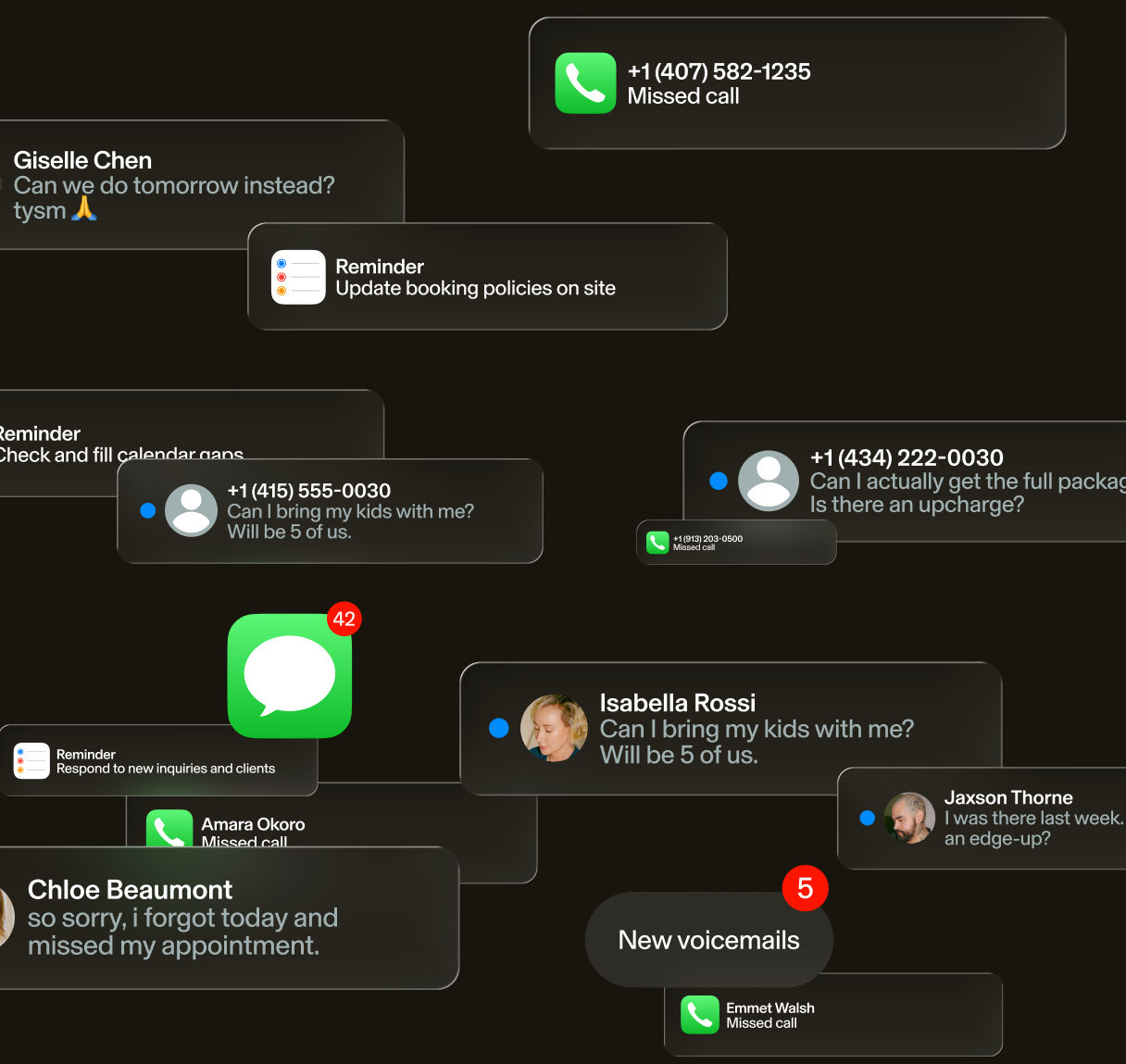
The last client checks out, the team locks up, and for the next several hours the building sits empty. Your clients don't know that. They keep reaching out. A DM comes in at 9:47 p.m. A call at 10:02 p.m. rings into voicemail. At midnight, someone on your booking page is choosing between you and whoever answers first.
Every one is a missed booking. That's the appointment, the client attached to it, and every visit that would have followed. It isn't carelessness. You can only work so many hours in a day. So the night shift works the hours you can't.
How much booking actually happens after you close?
Say a client finishes a late shift and opens your booking page on the ride home. Nothing unusual there. 50% of bookings happen after hours.¹ That's half of all bookings, landing after the doors close.
Those evening bookings are worth more, too. Bookings between 6 and 10 p.m. carry a higher average ticket than daytime ones, $108 vs. $103.² So after hours isn't the edge of your demand. It's when many clients decide.
Each after-hours call that rings out is a missed booking. But missed calls are only one leak. The free hidden revenue leaks guide walks through the others and how to fix them.
Why doesn't that demand reach your booking system?
When a client finds you at 11 p.m., it's through your Google Business Profile, your Instagram bio, or a friend's text. Each one has to link straight to your booking page. Otherwise, it dead-ends. That's why most after-hours demand has no route to your calendar. And a voicemail that says "call back during business hours" tells them to leave.
Before you add any technology, check the five places clients find you, once per location:
- Does the booking link on your Google Business Profile go straight to your calendar?
- Does your Instagram bio link open your booking page?
- Is there a working book button on Facebook?
- What happens when someone calls the number on your booking site at 10 p.m.?
- Does your voicemail send callers to your calendar, or tell them to wait?
Most of these are a quick update. Once each one points to your calendar, an AI teammate can pick up the rest. It answers, books, and writes down details at 2 a.m. the same way it does at 2 p.m.
Not sure which of these you've already fixed? Run the free Business Health Grader. It checks your Google listing and online booking in about a minute.
Can you answer missed calls and book after hours without hurting the client experience?
When a client texts at 10 p.m. and gets an instant answer, it feels like texting the business, not working through a phone tree and hoping for a callback. That's what a well-set-up AI receptionist does. It answers the calls and texts that used to go to voicemail. It answers common questions using your services, prices, and policies. Then it books the slot.
Say a client asks "do you have anything Saturday?" or "what's your cancellation policy?" They get a straight answer. Your team keeps the work only people can do: the consultation, the judgment call, the nervous first-timer put at ease.
But not every AI receptionist is built the same, so vet before you buy. Look for one that:
- Plugs into your real calendar.
- Follows your booking rules.
- Captures everything your front desk would write down.
- Hands anything that needs human judgment to your team.
If your business handles health information, add privacy compliance to that checklist. Reception, built into GlossGenius, covers the four above.
Do you need an after-hours answering service or a receptionist?
A week has 168 hours. A full-time front desk covers about a quarter of them. The Bureau of Labor Statistics puts median receptionist pay at $38,010 a year, before payroll taxes and benefits.³ So an answering service covers the hours you were never going to staff. During staffed hours, it gives your front desk room for the work automation can't do.
That's why it isn't a choice between the two. Your front desk can greet clients by name and remember a birthday while the AI texts the cancellation policy. By day, the AI adds extra hands. Overnight, it answers the inquiries that come in.
Is an AI receptionist the right after-hours answering service for your business?
Picture a full calendar and a phone that rings while no one can get to it. That's where an AI receptionist fits, even if you already have a receptionist. Evening bookings aren't leftovers. They carry a higher average ticket, and an AI receptionist answers them without interrupting your team or adding payroll.
It covers you all day, too, when your team is mid-service, working away, or stepped out for a moment.
Businesses using Reception see 35% more calls answered. Those are calls that used to ring out. They also see 15% more revenue per month.⁴
[CTA_MODULE]
How do you stop missing calls after hours?
Right now, a call that comes in after close probably goes to voicemail. So forward your business line instead. Then the calls and texts you can't take roll to your AI receptionist. Set it up in four steps:
Step 1: Connect your business number.
Step 2: Load your services, prices, and policies.
Step 3: Forward the calls and texts you can't take.
Step 4: Call after close and book an appointment the way a client would.
With GlossGenius, that's the whole setup, and it starts answering that night. So run Step 4 before bed: call at 10 p.m., ask for Saturday, and check your calendar.
What do missed after-hours calls cost you?
A call that rings out at 10 p.m. doesn't show up on any report. So do the math yourself. Multiply what one appointment is worth by the after-hours calls and messages you get in a normal week. Then multiply by the share you'd win and the weeks in a year. Use conservative numbers, and run it per location.
Annual value = appointment value × weekly after-hours inquiries × win rate × 52
Say one appointment is worth $100. You get 10 after-hours inquiries a week, and you'd win 20% of them. That comes to $100 × 10 × 0.20 × 52 = $10,400 a year (illustrative inputs, not a benchmark). To see what your current system is costing you, run your own numbers in the free revenue and fee calculator.
If your numbers look anything like that, the night shift pays for itself. That's the job Reception was built to do: answer when you can't, book what's bookable, and hand you the client's details.
Then one morning, you unlock the door and the day is already built. Appointments booked overnight are on the calendar, client details are captured, and there's no backlog of calls to return. The goal was never to answer more calls. It's to give the client in front of your team their full attention while the client trying to reach you still gets an answer. And the night shift is only the first hire. GlossGenius, the self-running operations platform for service businesses, takes on the rest of the back office too: confirmations and reminders, checkout and follow-ups, all working while you don't. Whether you lead a team or you're an individual business owner, you can book a demo to hear Reception answer a call, or start a free trial and set it up tonight.
Frequently asked questions
Do I need an answering service for my small business?
The hours you can't staff are the only stretch an answering service needs to cover. Fix your booking routing first. That means your Google profile and social booking buttons, plus voicemail and call forwarding. If inquiries still slip through, add an answering layer, human or AI, for unstaffed hours.
How can a small business answer calls after hours?
Route the calls you can't take to your online booking and an answering layer, human or AI. That way they get answered, and bookable requests get booked. Without a plan, they go to voicemail.
Do AI receptionists have to say they're AI?
Maine is one state that does. It requires clear notice when AI could lead a consumer to think they're talking to a person.⁵ Other states, including Utah, have their own AI disclosure rules. Rules are changing, so check each state where you operate.
Will clients book with an AI receptionist?
Late at night, the choice isn't between an AI and a person. No one answers at that hour. It's between an AI that books them and a voicemail that doesn't. That's why many clients will book, as long as it answers what they need and books the slot.
Can an AI receptionist work for a multi-location business?
Each location needs to stay separate in the system, with its own calendar and service menu, plus its own hours and booking rules. Then an AI receptionist can work across all of them. The after-hours gap repeats at every location and is rarely even. So run the numbers per location. Meet disclosure requirements in every state you operate in, too.
Sources cited
1. Reception FAQ ("Does Reception work outside of business hours?"), read October 23, 2026: "50% of bookings happen after hours."
2. GlossGenius study (platform data): evening ticket premium, 6 to 10 p.m. bookings average $108 vs. $103 daytime (median $80 vs. $75, prices filtered $1 to $5,000). Client self-booked appointments, approved and not deleted, trailing 90 days, time zones converted from UTC per location.
3. U.S. Bureau of Labor Statistics, Occupational Outlook Handbook, Receptionists: median pay $38,010 per year, $18.27 per hour (May 2025).
4. GlossGenius Reception results: 35% more calls answered, 15% more revenue per month.
5. Maine Revised Statutes, Title 10, section 1500-DD (Public Law 2025, chapter 294): AI used in trade must not lead a reasonable consumer to believe they're interacting with a human unless the consumer is clearly notified.
.png)
Join Our Genius Newsletter
Get the latest articles, inspiring how-to’s, and educational workbooks delivered to your inbox.
After-Hours Booking: How to Cover the Hours You Can't Staff
Half of bookings happen after close. Route that demand to your calendar and answer every after-hours call, without adding staff.
Key takeaways
- 50% of bookings happen after hours, when the business is closed.¹
- Most of that after-hours demand has no route to your calendar, so it turns into missed calls and unanswered DMs.
- Fix your booking links and voicemail first. Then add an AI receptionist that answers, books, and captures details when no one is on the clock.
The last client checks out, the team locks up, and for the next several hours the building sits empty. Your clients don't know that. They keep reaching out. A DM comes in at 9:47 p.m. A call at 10:02 p.m. rings into voicemail. At midnight, someone on your booking page is choosing between you and whoever answers first.
Every one is a missed booking. That's the appointment, the client attached to it, and every visit that would have followed. It isn't carelessness. You can only work so many hours in a day. So the night shift works the hours you can't.
How much booking actually happens after you close?
Say a client finishes a late shift and opens your booking page on the ride home. Nothing unusual there. 50% of bookings happen after hours.¹ That's half of all bookings, landing after the doors close.
Those evening bookings are worth more, too. Bookings between 6 and 10 p.m. carry a higher average ticket than daytime ones, $108 vs. $103.² So after hours isn't the edge of your demand. It's when many clients decide.
Each after-hours call that rings out is a missed booking. But missed calls are only one leak. The free hidden revenue leaks guide walks through the others and how to fix them.
Why doesn't that demand reach your booking system?
When a client finds you at 11 p.m., it's through your Google Business Profile, your Instagram bio, or a friend's text. Each one has to link straight to your booking page. Otherwise, it dead-ends. That's why most after-hours demand has no route to your calendar. And a voicemail that says "call back during business hours" tells them to leave.
Before you add any technology, check the five places clients find you, once per location:
- Does the booking link on your Google Business Profile go straight to your calendar?
- Does your Instagram bio link open your booking page?
- Is there a working book button on Facebook?
- What happens when someone calls the number on your booking site at 10 p.m.?
- Does your voicemail send callers to your calendar, or tell them to wait?
Most of these are a quick update. Once each one points to your calendar, an AI teammate can pick up the rest. It answers, books, and writes down details at 2 a.m. the same way it does at 2 p.m.
Not sure which of these you've already fixed? Run the free Business Health Grader. It checks your Google listing and online booking in about a minute.
Can you answer missed calls and book after hours without hurting the client experience?
When a client texts at 10 p.m. and gets an instant answer, it feels like texting the business, not working through a phone tree and hoping for a callback. That's what a well-set-up AI receptionist does. It answers the calls and texts that used to go to voicemail. It answers common questions using your services, prices, and policies. Then it books the slot.
Say a client asks "do you have anything Saturday?" or "what's your cancellation policy?" They get a straight answer. Your team keeps the work only people can do: the consultation, the judgment call, the nervous first-timer put at ease.
But not every AI receptionist is built the same, so vet before you buy. Look for one that:
- Plugs into your real calendar.
- Follows your booking rules.
- Captures everything your front desk would write down.
- Hands anything that needs human judgment to your team.
If your business handles health information, add privacy compliance to that checklist. Reception, built into GlossGenius, covers the four above.
Do you need an after-hours answering service or a receptionist?
A week has 168 hours. A full-time front desk covers about a quarter of them. The Bureau of Labor Statistics puts median receptionist pay at $38,010 a year, before payroll taxes and benefits.³ So an answering service covers the hours you were never going to staff. During staffed hours, it gives your front desk room for the work automation can't do.
That's why it isn't a choice between the two. Your front desk can greet clients by name and remember a birthday while the AI texts the cancellation policy. By day, the AI adds extra hands. Overnight, it answers the inquiries that come in.
Is an AI receptionist the right after-hours answering service for your business?
Picture a full calendar and a phone that rings while no one can get to it. That's where an AI receptionist fits, even if you already have a receptionist. Evening bookings aren't leftovers. They carry a higher average ticket, and an AI receptionist answers them without interrupting your team or adding payroll.
It covers you all day, too, when your team is mid-service, working away, or stepped out for a moment.
Businesses using Reception see 35% more calls answered. Those are calls that used to ring out. They also see 15% more revenue per month.⁴
[CTA_MODULE]
How do you stop missing calls after hours?
Right now, a call that comes in after close probably goes to voicemail. So forward your business line instead. Then the calls and texts you can't take roll to your AI receptionist. Set it up in four steps:
Step 1: Connect your business number.
Step 2: Load your services, prices, and policies.
Step 3: Forward the calls and texts you can't take.
Step 4: Call after close and book an appointment the way a client would.
With GlossGenius, that's the whole setup, and it starts answering that night. So run Step 4 before bed: call at 10 p.m., ask for Saturday, and check your calendar.
What do missed after-hours calls cost you?
A call that rings out at 10 p.m. doesn't show up on any report. So do the math yourself. Multiply what one appointment is worth by the after-hours calls and messages you get in a normal week. Then multiply by the share you'd win and the weeks in a year. Use conservative numbers, and run it per location.
Annual value = appointment value × weekly after-hours inquiries × win rate × 52
Say one appointment is worth $100. You get 10 after-hours inquiries a week, and you'd win 20% of them. That comes to $100 × 10 × 0.20 × 52 = $10,400 a year (illustrative inputs, not a benchmark). To see what your current system is costing you, run your own numbers in the free revenue and fee calculator.
If your numbers look anything like that, the night shift pays for itself. That's the job Reception was built to do: answer when you can't, book what's bookable, and hand you the client's details.
Then one morning, you unlock the door and the day is already built. Appointments booked overnight are on the calendar, client details are captured, and there's no backlog of calls to return. The goal was never to answer more calls. It's to give the client in front of your team their full attention while the client trying to reach you still gets an answer. And the night shift is only the first hire. GlossGenius, the self-running operations platform for service businesses, takes on the rest of the back office too: confirmations and reminders, checkout and follow-ups, all working while you don't. Whether you lead a team or you're an individual business owner, you can book a demo to hear Reception answer a call, or start a free trial and set it up tonight.
Frequently asked questions
Do I need an answering service for my small business?
The hours you can't staff are the only stretch an answering service needs to cover. Fix your booking routing first. That means your Google profile and social booking buttons, plus voicemail and call forwarding. If inquiries still slip through, add an answering layer, human or AI, for unstaffed hours.
How can a small business answer calls after hours?
Route the calls you can't take to your online booking and an answering layer, human or AI. That way they get answered, and bookable requests get booked. Without a plan, they go to voicemail.
Do AI receptionists have to say they're AI?
Maine is one state that does. It requires clear notice when AI could lead a consumer to think they're talking to a person.⁵ Other states, including Utah, have their own AI disclosure rules. Rules are changing, so check each state where you operate.
Will clients book with an AI receptionist?
Late at night, the choice isn't between an AI and a person. No one answers at that hour. It's between an AI that books them and a voicemail that doesn't. That's why many clients will book, as long as it answers what they need and books the slot.
Can an AI receptionist work for a multi-location business?
Each location needs to stay separate in the system, with its own calendar and service menu, plus its own hours and booking rules. Then an AI receptionist can work across all of them. The after-hours gap repeats at every location and is rarely even. So run the numbers per location. Meet disclosure requirements in every state you operate in, too.
Sources cited
1. Reception FAQ ("Does Reception work outside of business hours?"), read October 23, 2026: "50% of bookings happen after hours."
2. GlossGenius study (platform data): evening ticket premium, 6 to 10 p.m. bookings average $108 vs. $103 daytime (median $80 vs. $75, prices filtered $1 to $5,000). Client self-booked appointments, approved and not deleted, trailing 90 days, time zones converted from UTC per location.
3. U.S. Bureau of Labor Statistics, Occupational Outlook Handbook, Receptionists: median pay $38,010 per year, $18.27 per hour (May 2025).
4. GlossGenius Reception results: 35% more calls answered, 15% more revenue per month.
5. Maine Revised Statutes, Title 10, section 1500-DD (Public Law 2025, chapter 294): AI used in trade must not lead a reasonable consumer to believe they're interacting with a human unless the consumer is clearly notified.
Download Now
Join Our Genius Newsletter
Get the latest articles, inspiring how-to’s, and educational workbooks delivered to your inbox.
.jpeg)